CSV Viewer : Import Contacts14
Publisher Description
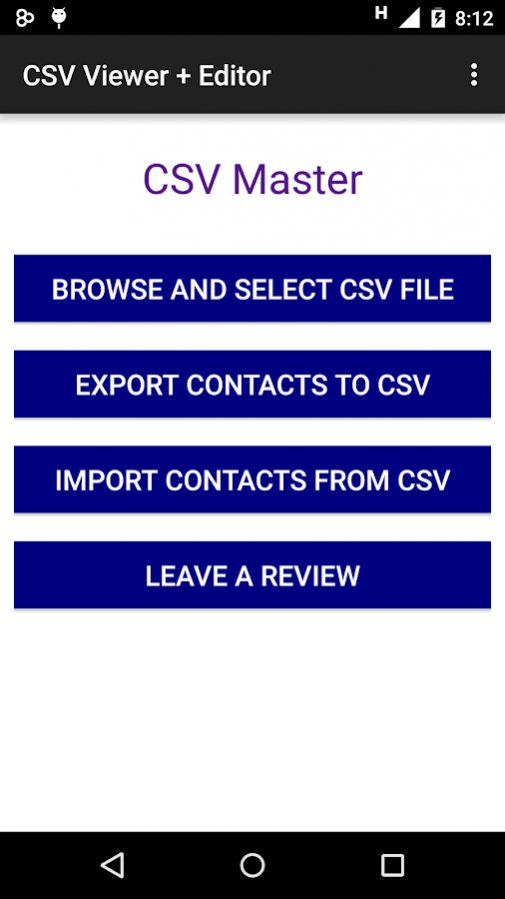
This lightweight CSV file Viewer and Editor is ready for you to read any kind of csv files despite the number of rows or columns it has in a responsive display for tablets as well as phones.
** Responsive for Tablets and phones
** Supports any number of columns or rows
** CSV editor added to edit your csv files
** Export contacts to CSV and view them
** Import contacts from CSV and view them
** Compatible with all versions of android
** No advertisements for reading comma-separated values documents.
** Read or modify CSV files from File manager, Dropbox, Email by clicking browse
** Just open CSV files through this app from file manager app.
** Magnifier added for display to easily read and zoom in various parts of the file.
** All different types encoding supported such as -
UTF-8, Shift-JIS, EUC-JP, UTF-16, EUC-CN, EUC-KR, EUC-TW and all other encoded formats as well.
** Pre MS Excel 2007 documents are also supported.
** Be it semicolon or comma, the CSV file viewer is able to read and edit both.
In the next version, we will add import contacts option to csv file and csv to pdf feature. So stay tuned for that.
Download and enjoy CSV viewer and editor with backup contacts support.
Contact us for any queries or complaints.
Icon credits to Freepik : http://www.flaticon.com/free-icon/csv-file-format-symbol_29102
About CSV Viewer : Import Contacts
The company that develops CSV Viewer : Import Contacts is Zappz Studios. The latest version released by its developer is 14.
To install CSV Viewer : Import Contacts on your Android device, just click the green Continue To App button above to start the installation process. The app is listed on our website since 2017-10-27 and was downloaded 25 times. We have already checked if the download link is safe, however for your own protection we recommend that you scan the downloaded app with your antivirus. Your antivirus may detect the CSV Viewer : Import Contacts as malware as malware if the download link to csvviewer.csveditor.gappstudios.abhishek.csveditor is broken.
How to install CSV Viewer : Import Contacts on your Android device:
- Click on the Continue To App button on our website. This will redirect you to Google Play.
- Once the CSV Viewer : Import Contacts is shown in the Google Play listing of your Android device, you can start its download and installation. Tap on the Install button located below the search bar and to the right of the app icon.
- A pop-up window with the permissions required by CSV Viewer : Import Contacts will be shown. Click on Accept to continue the process.
- CSV Viewer : Import Contacts will be downloaded onto your device, displaying a progress. Once the download completes, the installation will start and you'll get a notification after the installation is finished.
Program Details
System requirements
Download information
Pricing
Version History
version 14
posted on 2017-10-27
Bugs Fixed.
version 1.2
posted on 2016-01-27
CSV Editor and Reader added.,Import Contacts and Export Contacts to CSV added.,Bugs fixed!
